Step 4. Additional steps for Power BI and Excel users
 Updated
by
kevin cardoen
Updated
by
kevin cardoen
- Verify security within Power Query
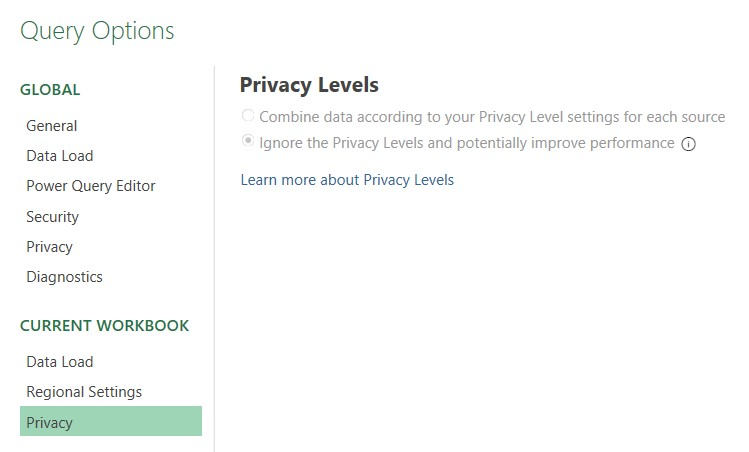
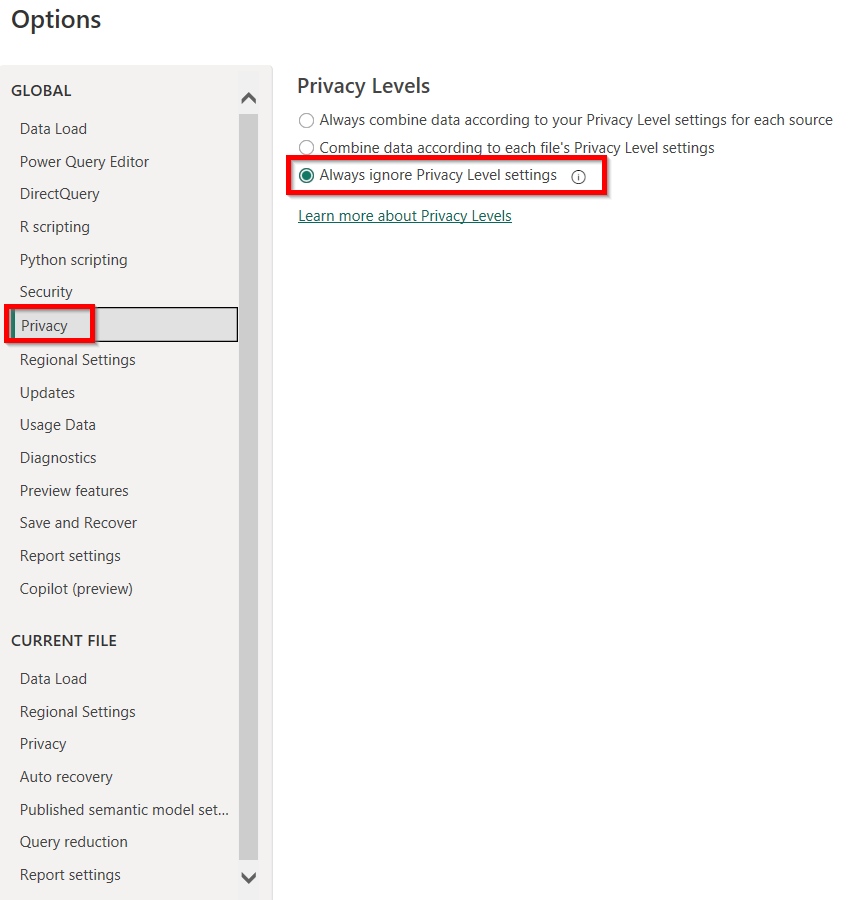
- Power Query analyses each data source and classifies it by the defined level of privacy: Public, Organizational, and Private.
- This analysis ensures data is not combined in case of an undesirable data transfer.
- This process of data protection can also occur when a query uses a technique called query folding.
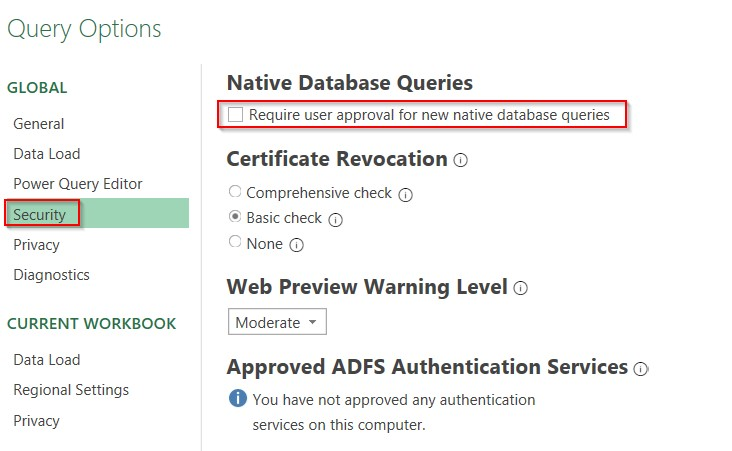
- If you load data from files (e.g. .xls, .csv, .txt), please verify your security settings in Power Query.
- Start Excel --> Tab "Data" --> Get data --> Launch Power Query editor...
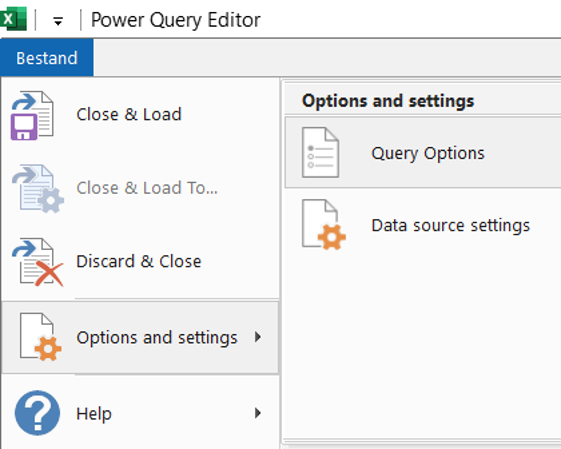
- Within Power Query --> Tab "file" --> Options and settings --> Query Options


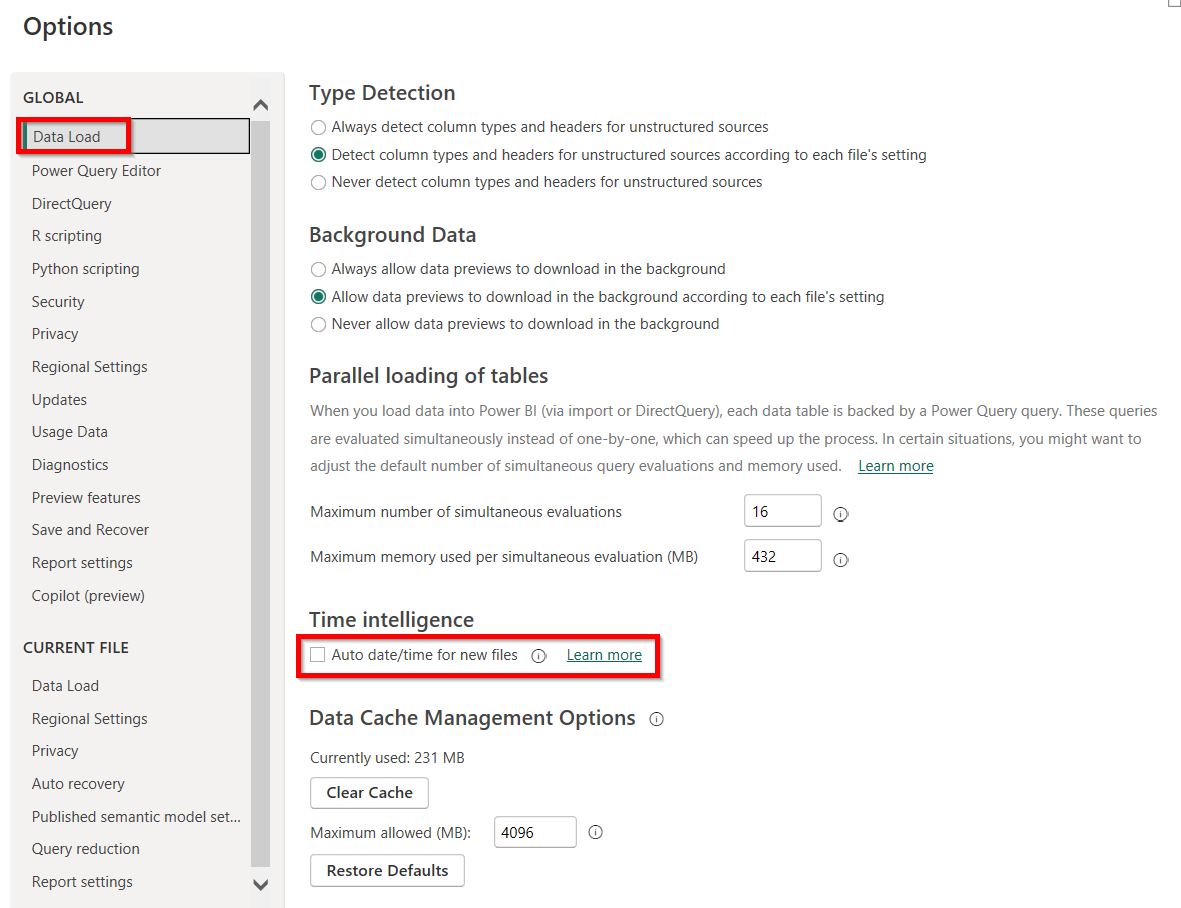
- Security within Power BI
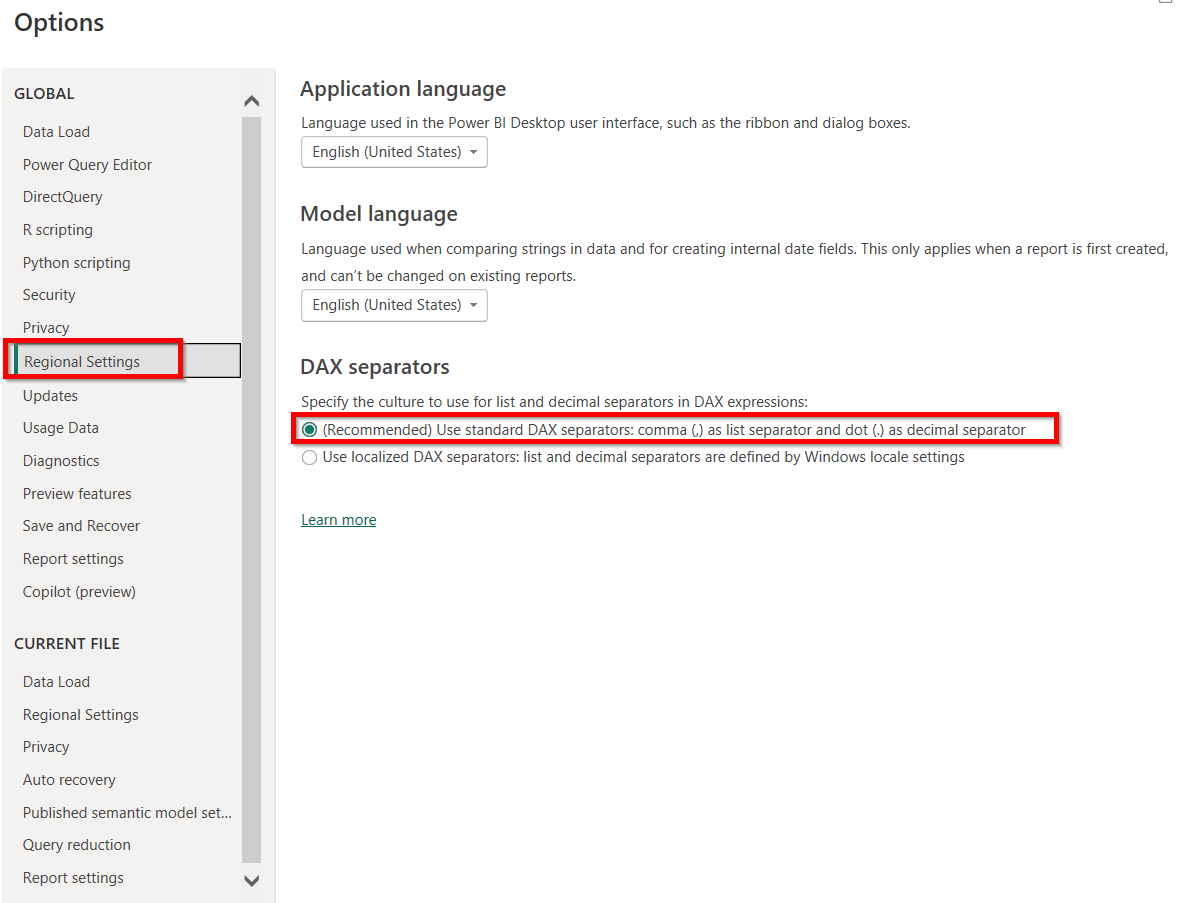
- File --> Options and settings --> Options
- ! Adjust the settings in the "Global" section -- not in the current file !
- Data load:
- Security
- Regional settings